

Authoring/lms/courses
Courses
Slide-based, chapter-organised courses
What you can do here
Build multi-slide, chapter-organized courses that combine text, media, audio, video and interactive activities. This is the place for structured, start-to-finish learning experiences.
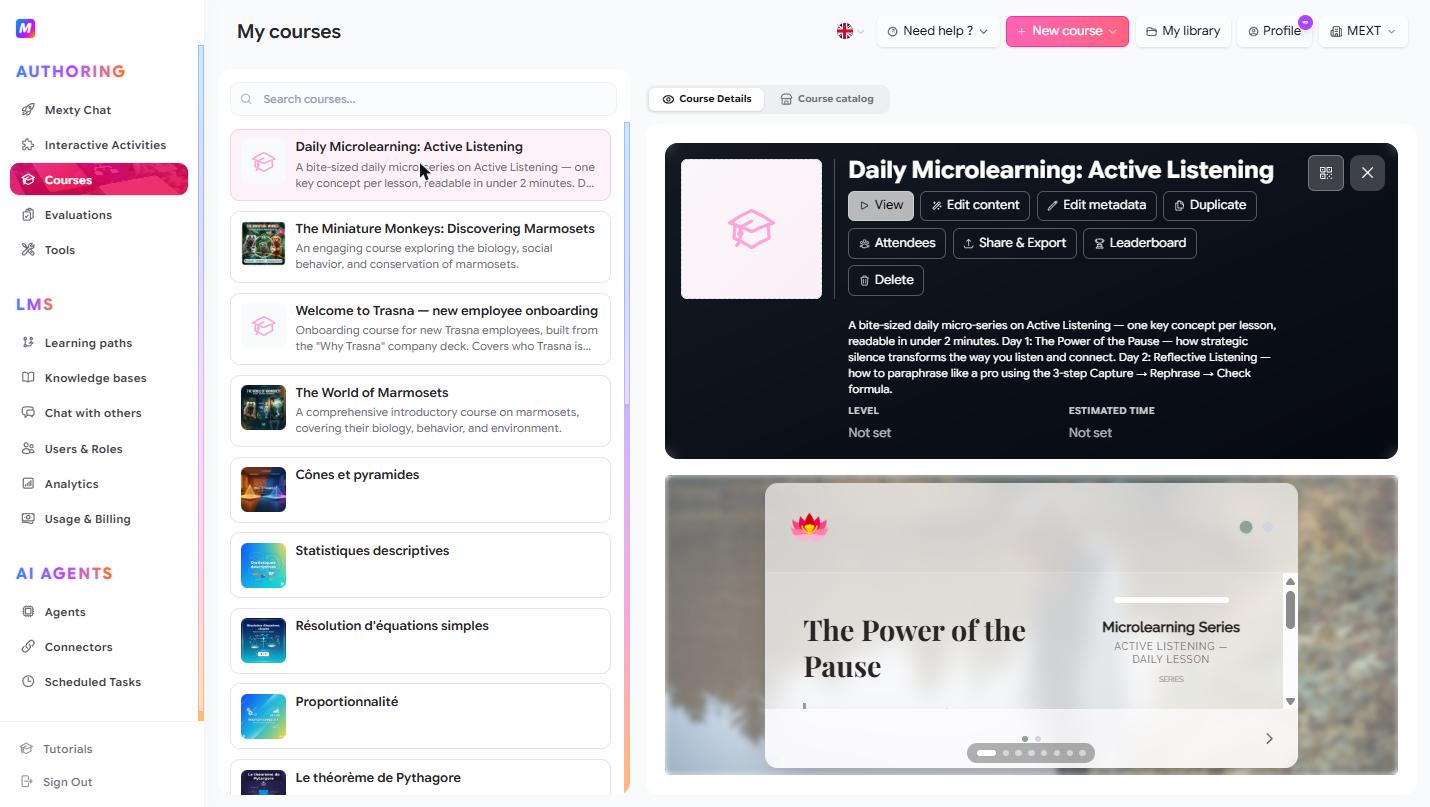
Create a course
- Click + New course, or describe it in the AI chat — "a 3-chapter course on our returns policy, with a quiz at the end."
- The course opens in the Course Editor, where you build it slide by slide.
Add and arrange slides
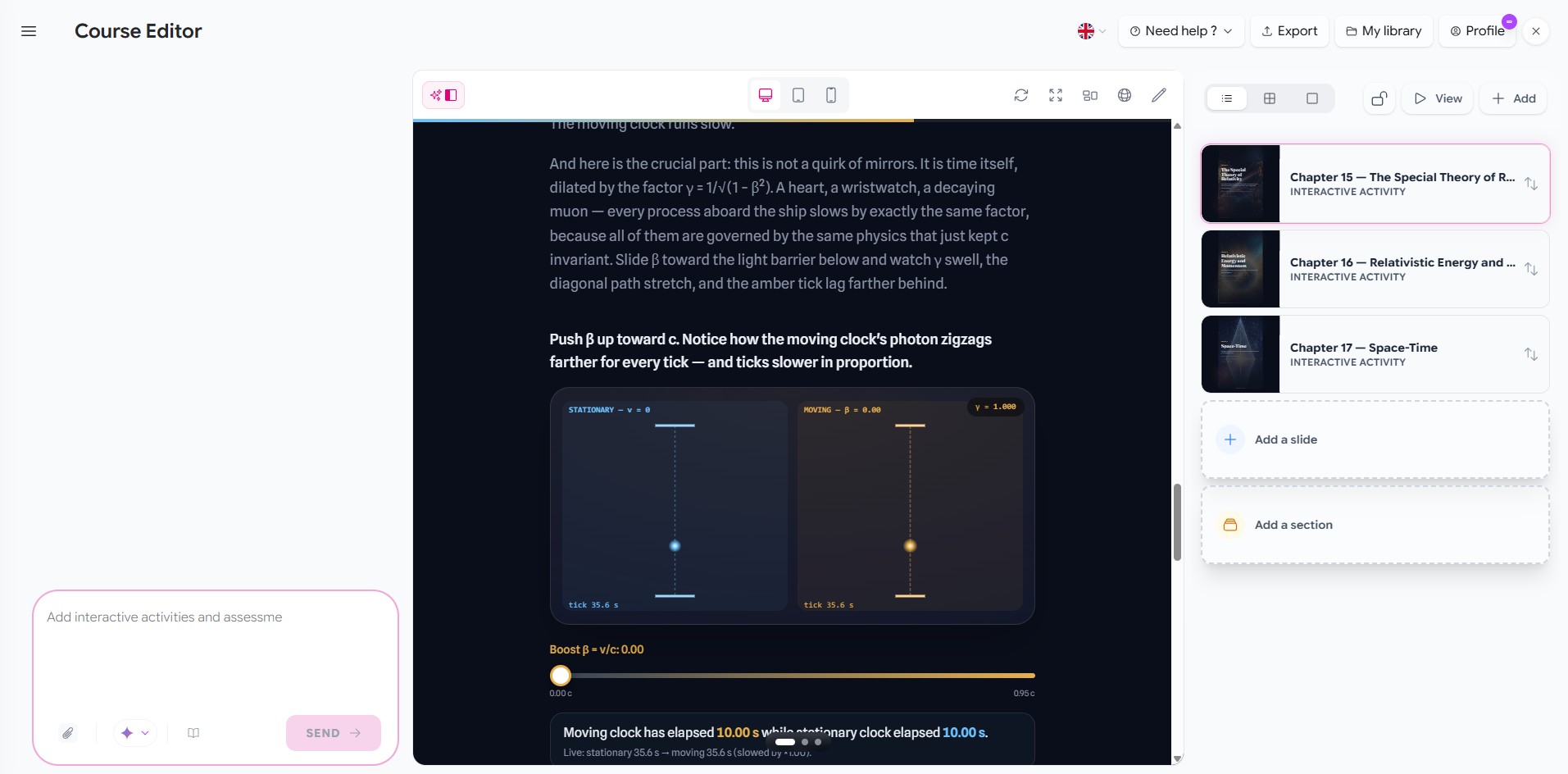
In the editor, open the Slide Navigator (right panel) and click + Add to choose a slide type:
- Generate Slides with AI — describe the content and let Mexty create the slides.
- Content Template, Text Page, Image, Video, Audio / Podcast, Document, 3D Model, Google Doc, Embedded Content.
- Interactive Activity — drop in a block from your Activities library.
- Opening Slide / Conclusion Slide for a polished intro and wrap-up.
- Add section — group slides into chapters.
Drag the ↕ handle to reorder slides and chapters; rename or delete from the hover actions.
Edit slide content
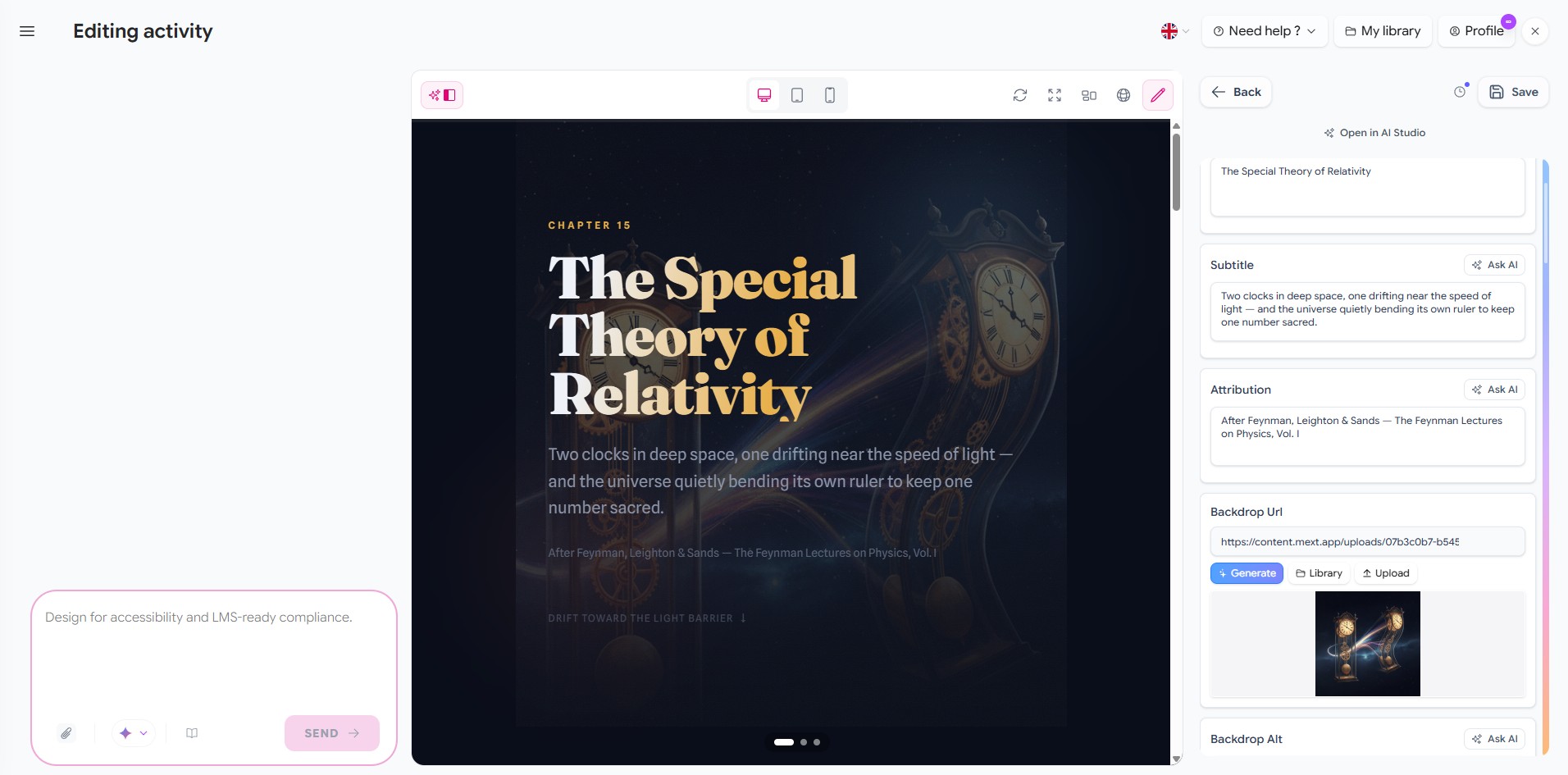
- Use the AI chat (left) to generate or rewrite slides, or restructure the whole course.
- Move between slides with the Previous/Next arrows or the dot row — click a dot to jump.
- Set a slide background: Pick from library, Upload from PC, or Generate with AI (+✨), and use the blur slider to keep text readable over images.
- Preview on desktop / tablet / mobile, refresh, or go fullscreen.
Control how learners move through it
Toggle 🔓 Free navigation to let learners jump to any slide, or leave it off to keep them in sequence. Use ▷ View to experience the course exactly as a learner would before you publish.
Publish, share and track
From the course preview panel:
- Edit metadata — title, description, level, estimated time, cover image.
- Attendees — enroll and manage learners.
- Share & Export — share link, embed, or SCORM export for an external LMS.
- Leaderboard — see learner scores.
- Duplicate / Delete as needed.
Tips
- Start with Generate Slides with AI for a full draft, then refine slide by slide.
- Break long courses into sections so learners (and the navigator) stay oriented.
- Reuse strong activities across courses instead of rebuilding them.