

Authoring/lms/tools
Tools
Turn static files into interactive content
What you can do here
Tools turn static files — PDFs, PowerPoints, documents, web pages — into interactive learning in a few clicks. Each tool is a guided, single-purpose flow.
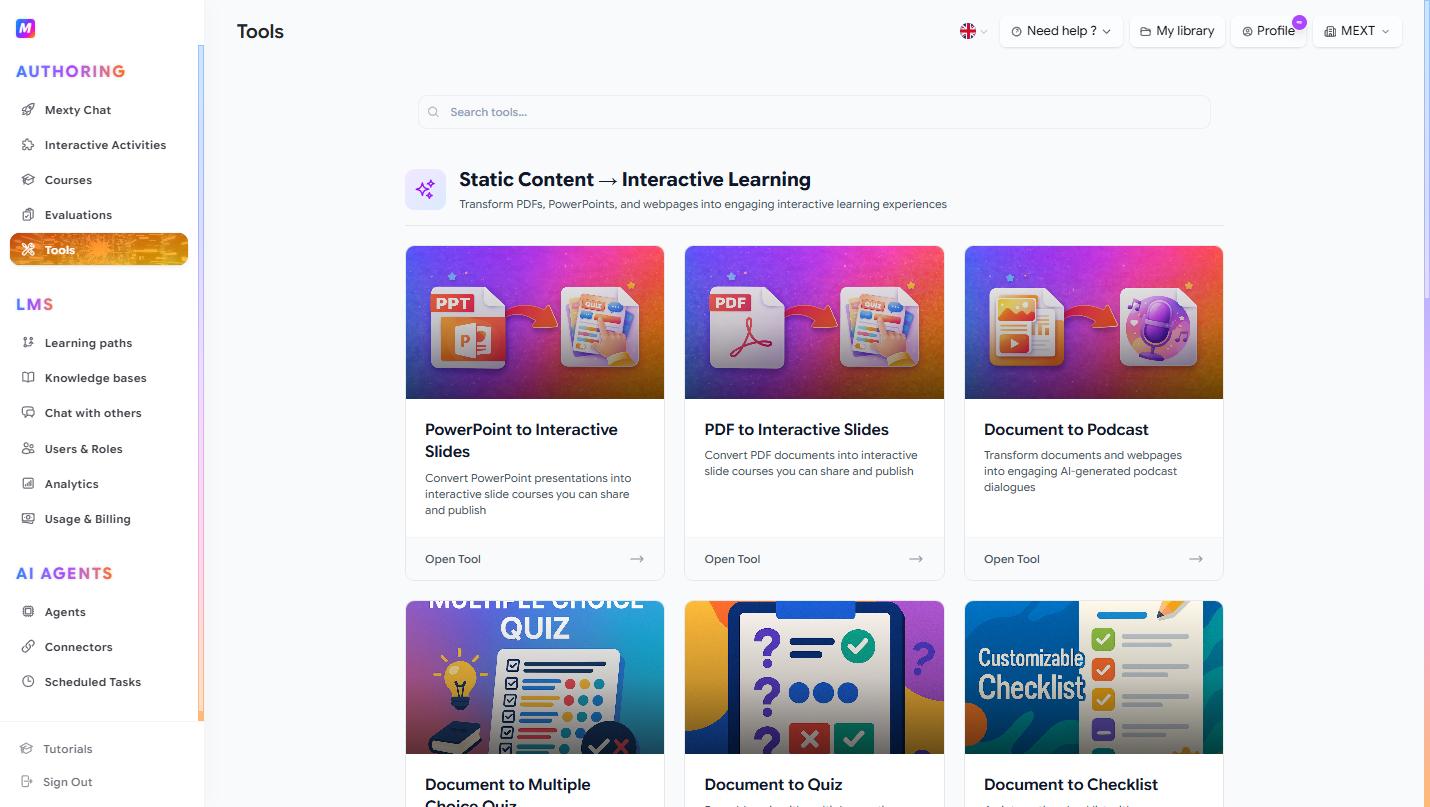
Use a tool
- Open Tools (
/lms/tools) and find the one you need (the search bar filters them). - Click Open Tool → on its card.
- Provide the source: drag-and-drop or pick a file (PDF, DOCX, XLSX, PPTX, TXT, CSV, images, video, audio — up to 50 MB), or paste a URL.
- Let the AI process it.
- Review the generated output, make edits, and save it to your Interactive Activities or Courses library.
Pick the right tool
- PowerPoint to Interactive Slides — turn a deck into an interactive course.
- PDF to Interactive Slides — turn a
.pdfinto an interactive course. - Document to Podcast — turn a document or URL into an AI-narrated podcast dialogue.
- Document to Multiple Choice Quiz — a 10-question MCQ with feedback and rationales.
- Document to Quiz — a reusable quiz (MCQ, True/False, Matching, Ordering) with instant feedback.
- Document to Checklist — an interactive, customizable checklist.
- Document to Flashcards — a 3D flip-card deck.
- Document to Interactive Timeline — a timeline with events, dates and media.
Tips
- Start from your best existing material — a clean source produces a much better first draft.
- The result is a normal activity or course, so you can keep refining it in the editor afterwards.
- For long documents, generate first and then trim and reorder, rather than editing the source.