
LMS/lms/people-chat
Chat with Others
Direct messaging between members
What you can do here
Message other people in your workspace directly. It's a quick way for creators, admins and learners to ask questions and coordinate without leaving Mexty.
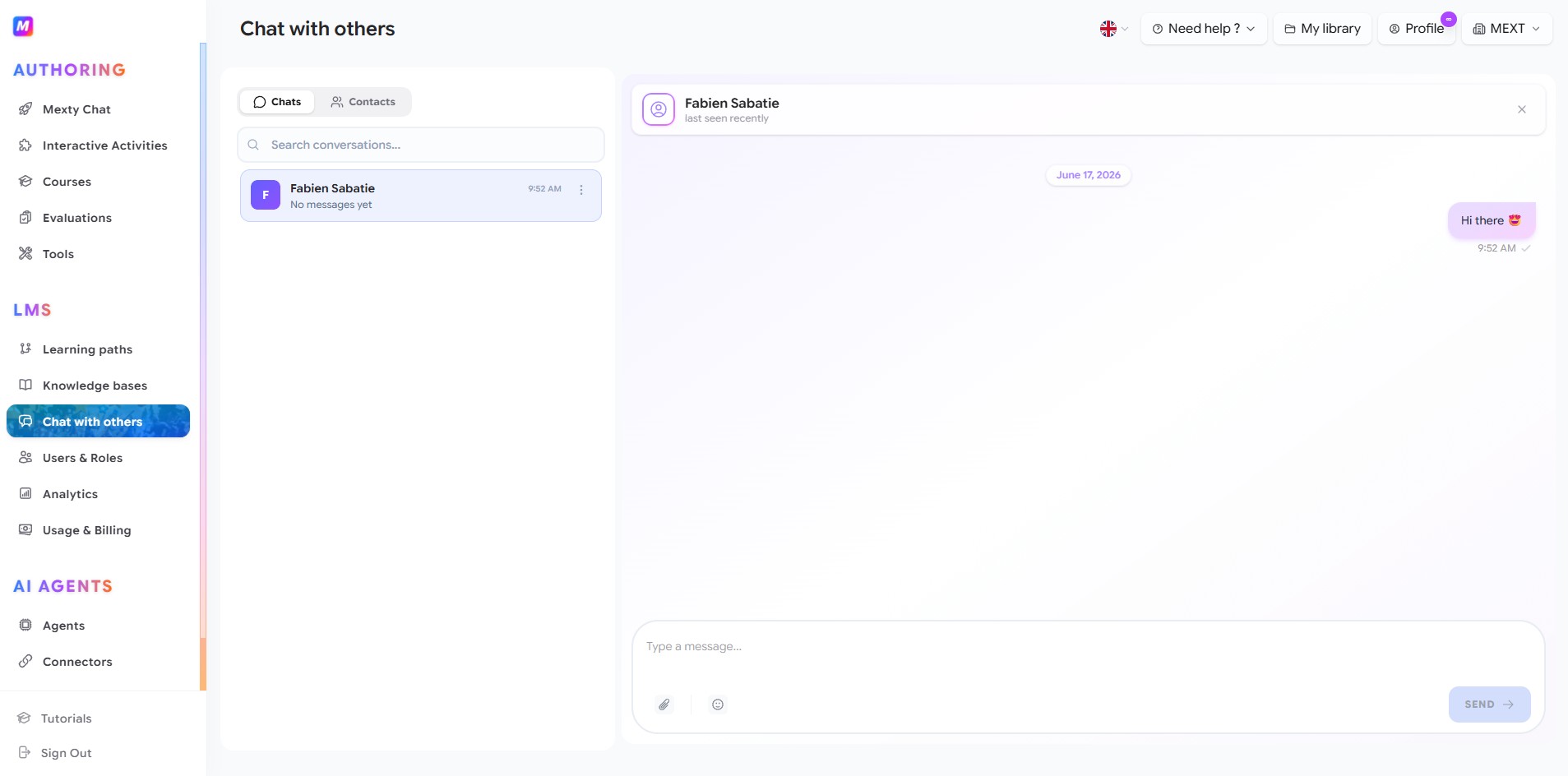
Start a conversation
- Open the Contacts tab to see everyone in your workspace.
- Click a person to open a conversation with them.
- Type your message and press Enter (or click send).
Come back to conversations
- The Chats tab lists your active conversations, most recent first.
- Use the search bar to find a conversation by name.
- Click any conversation to reopen the full thread on the right.
In a message
- Send text, attach files, and add .
- Send with Enter or the send button.
Tips
- Use Contacts to start a new chat; use Chats to pick up ongoing threads.
- Attach the activity or course you're discussing so the other person has the context right away.